
God Redeems Our Mistakes | More than a Mistake
If you’ve ever felt like your mistakes were too big or too bad or too unforgivable, you’re in the right place. I want you to know that no matter what you’ve done in the past, God redeems our mistakes.
There was a time when I was not sure my dreams could come true or if I would ever find true happiness. I didn’t know if God could forgive me, or if I could even forgive myself.
You see, I was a teenage mom.
I made a lot of mistakes as a young girl. I believed I was in love with a boy. I allowed myself to be used and did things I knew in my heart I was not ready to do.
When I was only 14 years old, I got pregnant with a baby. I was faced with a big decision at a very young age. I knew in my heart that this baby was my baby and that I had to do everything in my power from that point forward to ensure he had a good life.
Christian, Pregnant Out of Wedlock
I was determined not to be a loser. I had always been a “good girl” and it was difficult to accept the shame and guilt I felt. No longer did people see me as a sweet Christian girl who made good grades. All people saw was my young face and my growing belly.
related: When You Feel Unlovable {My Story of Shame}
As it goes so often when a girl gets pregnant out of wedlock, my boyfriend was not faithful. He went off to college, dated other girls and ignored me for most of my pregnancy. It hurt like crazy. My heart was shattered. Not only had I given a precious gift to this boy, I had to carry the responsibility all alone. I am so grateful to my parents who really stood by me, even though I know how devastated they were. It broke their hearts.
I gave birth to my son when I was just 15 years old.
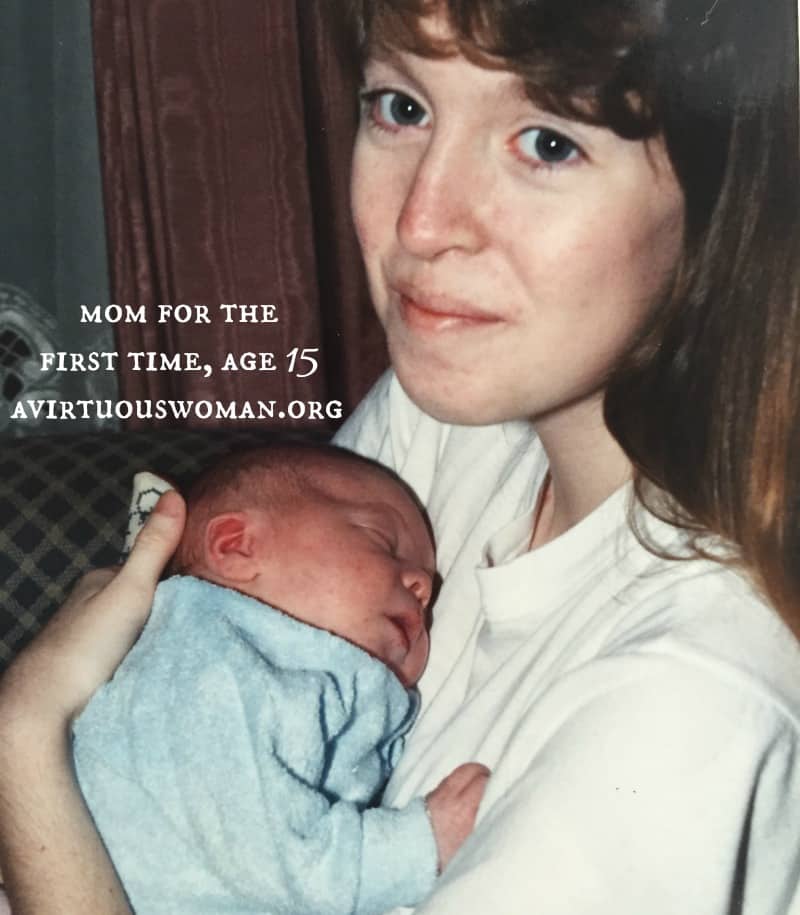
I found out I was pregnant in the summer of 1990. So many things played into the reasons why I got pregnant. But, regardless of the reasons, I was pregnant. I still remember the shock of it. Almost like it wasn’t real. My boyfriend showed me an ad in the local newspaper and suggested I get an abortion. But I knew I could never do that.
Later his family tried to talk me into giving my baby up for adoption. They were worried about the consequences of their son having a baby. I think adoption is an amazing option for girls in my situation, but I knew in my heart that I wanted to keep my baby and raise him myself.
I was entering the 10th grade that year and I ended up going to a special school for kids who had problems. It was a self paced school and there were about 60 other girls who were pregnant there. They had a daycare on the campus and the school buses even had car seats for your baby to ride in.
James was born in March 1991. I had made the decision to breastfeed and use cloth diapers. I called the school and told them that if I was to come back to finish out the year they would need to let me leave class every two hours to nurse my baby boy. They agreed.
During that school year I finished 10th grade, 11th grade, and half of 12th grade. I was also able to complete three college courses at the local community college. I worked so hard!
I was determined not to be a failure. I wanted to finish school in the worst way.
Times have changed quite a bit since 1991, but having a baby out of wedlock was incredibly shameful. I felt the shame every where I went. From the doctor’s office to the welfare office to church. I could feel people’s stares, questions, and judgement.
We got married when James was 3 months old. It was a simple wedding in my parent’s living room. No one else attended. I was scared to death and circumstances leading up to that day left me wondering if I should get married, but I was determined to “right my wrong” and give my son a family. And so I married his father despite my reservations.
We moved to Athens, Georgia so he could attend his second year of college. It was one of the loneliest times of my life. He was abusive and controlling and I endured things I’ve never talked about. I don’t like to talk about it. It’s hard. And because I have children with him, I generally don’t go into much detail.
I spent years begging God to take away the memories and many of them have faded, but my pain was great.
At the age of 16, I decided I wanted to finish high school. Getting that diploma meant so much to me. In my mind being able to graduate from high school meant that even though I had made mistakes I wasn’t a complete failure. I took my high school transcripts to the my local public high school.
While I was pregnant with James I had maintained a 3.67 GPA and it was something I was very proud of. I carried my one year old baby in with me and three of the school officials came in the room and listened as I told them I wanted to enroll and finish. I just needed a few more classes to graduate.
Those men and women told me that I didn’t fit in there and they made me feel so ashamed. I never went back.
And no matter where I went I didn’t fit in. I wanted to be friends with other moms who had kids, but they were all older than me. And girls my age didn’t have babies. I remember this one mom, she was older, her husband was a doctor, and I don’t remember her name now, but she went to my church and she had a little boy about the same age as James and she invited me to her house more than once. I appreciated that. We never became close friends, but she reached out to me when I needed it so much.
Over the next six years of our marriage I had two more babies, two precious girls – Sarah and Emily. And by the time I was 21 I was a divorced mother of three with no education, no job, no friends, and no support system.
God Redeems Our Mistakes
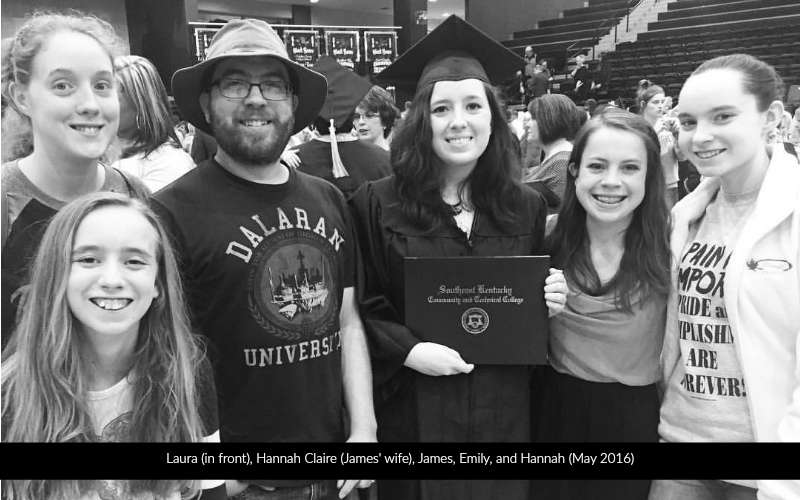
Flash forward 28 years: I remarried a pastor in September 1999. I am now the proud mom to five beautiful children – James, Sarah, Emily, Hannah, and Laura.
I’m so glad I chose to keep my son. Despite the hardships, I wouldn’t change anything about my life. My five kids are worth every bit of the journey I walked.
Today, I am privileged to be able to write for a living – exactly what I always wanted to do And I am honored to be able to minister to women all around the world, sharing God’s love for each and every one of us.
It doesn’t matter that we all screw up at one time or another. God loves us anyway.
I made mistakes, but God is bigger than any mistake you or I make and out of the worst circumstances He can bless. Out of the greatest pain can come the sweetest joy.
I gave my life over to Christ and have worked hard, prayed a lot, and watched as the blessings poured out of heaven.
Just because you made a mistake, does not mean your life is to be the epitome of your mistake. You can have more. You can be forgiven. You can live a life full of victory. God is waiting to fill your life with joy, peace, success, and happiness. Because God redeems our mistakes.
You may also enjoy:
It is up to you whether you ask Him to lead you to a better place.




119 Comments